
Your development record
Your development record is a running picture of your refereeing progression. It is built automatically as your society logs reports and feedback - you do not need to maintain it yourself.
Who can see this?
Your development record is visible to you, and to members of your society who have a development or training team role (MOD, MOC, Training Team). You cannot see other referees' development records.
Where to find it
From My Overview, select the Development tab. This is the main view of your progression for the current season.
What you will see
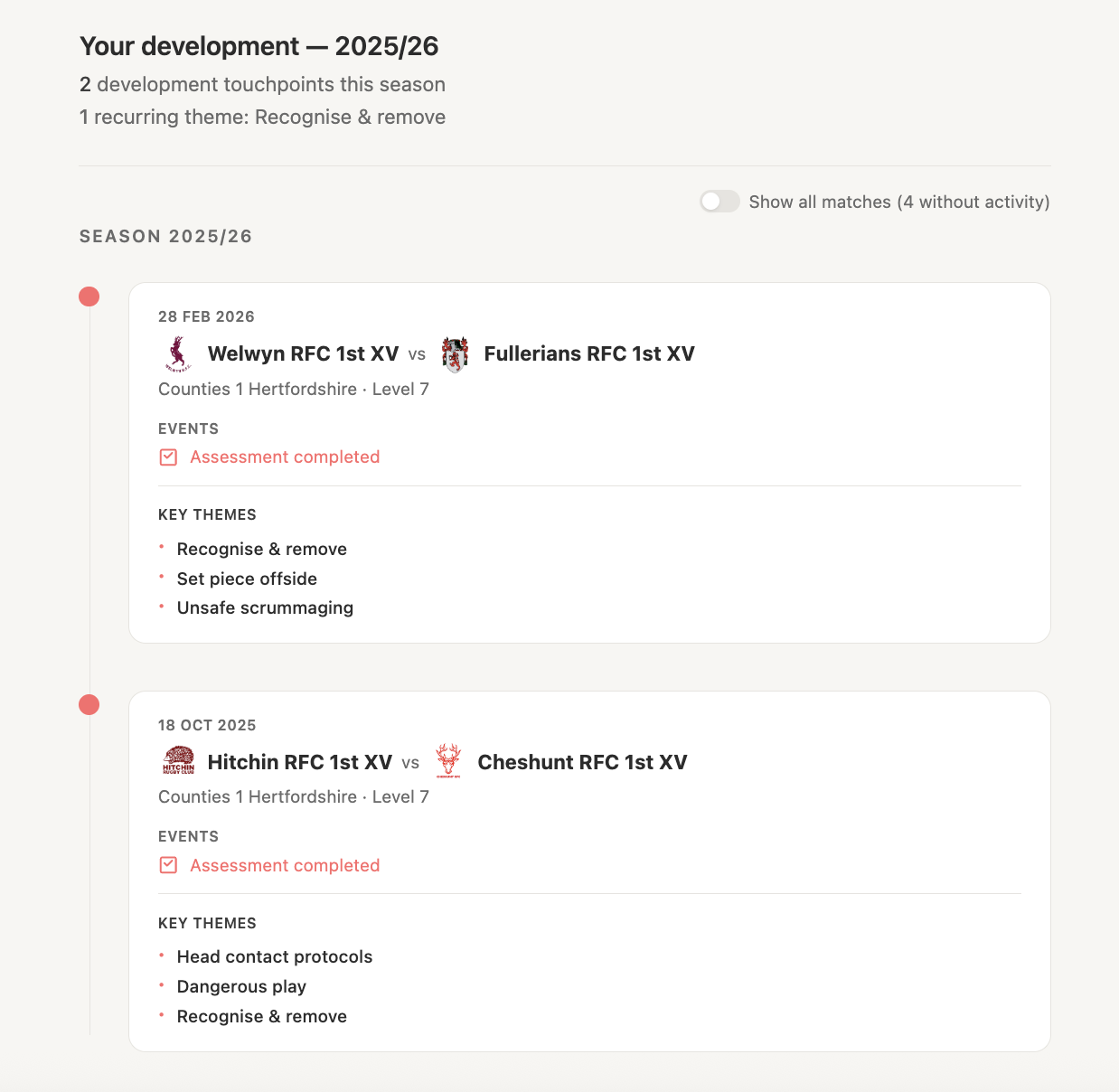
Your current grade
Your grade is displayed at the top of the Development tab. This reflects your current officiating level as recorded by your society. Grade changes are logged when a MOD or MOC updates your record.
Assessor feedback
When a MOD or MOC attends one of your matches and submits a development report, their feedback appears here. Each report shows:
- The match it relates to
- The overall assessment summary
- Any specific areas of feedback (e.g. game management, communication, breakdown work)
- The date the report was finalised
You will receive a notification when a new report is available.
Note: Feedback only appears once the report has been finalised by the assessor's society role. Draft reports are not visible to referees.
Your season timeline
The timeline gives you a chronological view of your season - assessments received, grade changes, reports completed, and any other logged milestones. It is useful for seeing patterns over time rather than looking at individual reports in isolation.
Reading your feedback
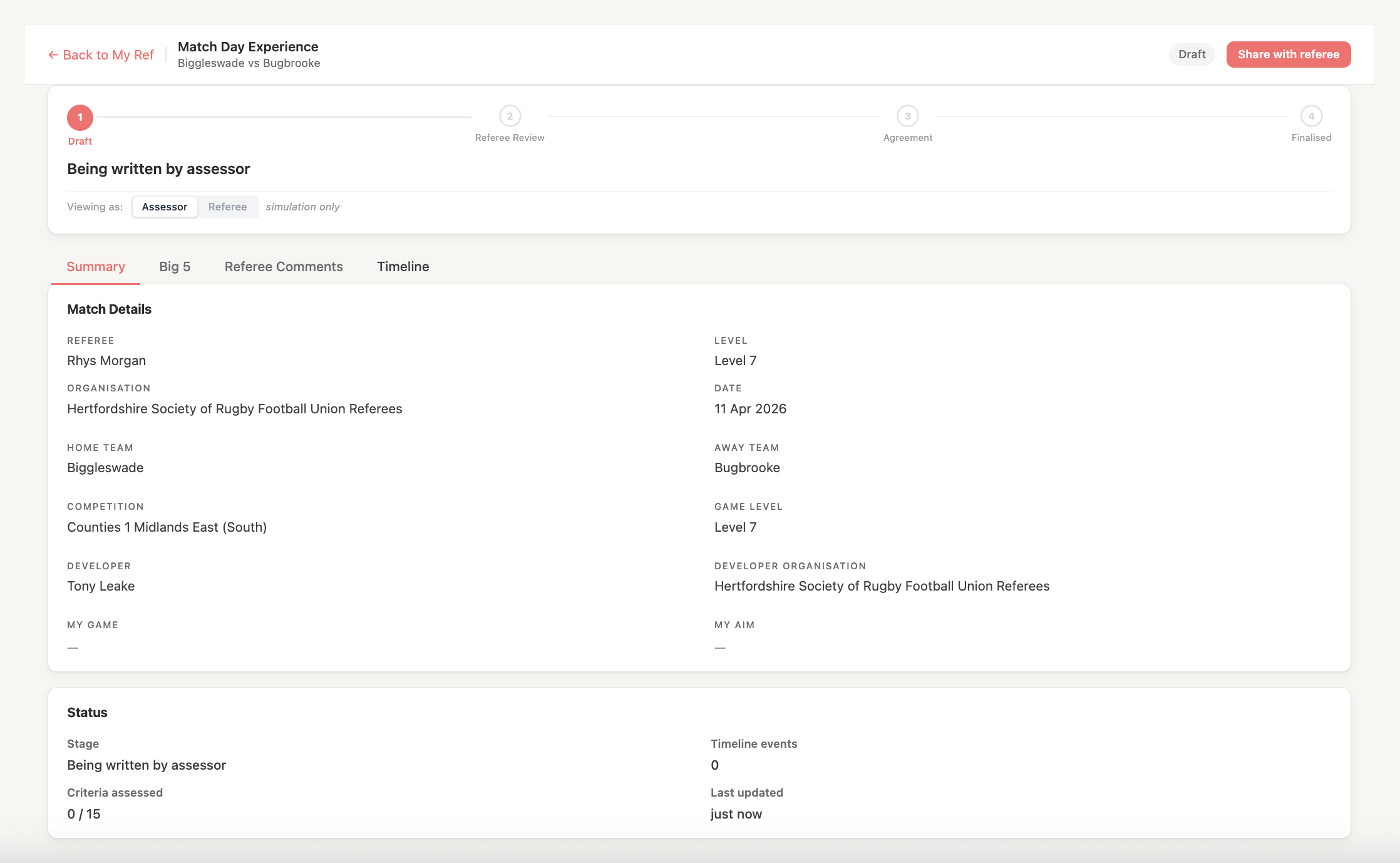
When you open a report, you will see:
- Match details - the fixture the report relates to, including competition, teams, and date
- Overall summary - the assessor's overall view of the match
- Area feedback - specific observations by area (if your society uses structured feedback)
- Actions or focus points - anything the assessor has flagged for your next match
Take note of recurring themes across reports - these are the areas your training team and assessors believe will make the biggest difference to your development.
What updates your record?
Your development record is updated when:
- A MOD or MOC finalises a report for a match you refereed
- Your grade is changed by an authorised society member
- Your society logs a development milestone (e.g. promotion, watchlist note)
You cannot edit your own development record.