
Getting started as a society admin
As a SOCIETY_ADMIN, you have full control over your organisation in RefMatch. This guide covers the core setup steps to get your society ready for a new season.
Who can do this?
| Role | Can do this? |
|---|---|
| Society Admin | Yes - full access |
| Appointments Manager | Partial - can manage fixtures but not org settings |
| All other roles | No |
Step 1 - Complete org setup
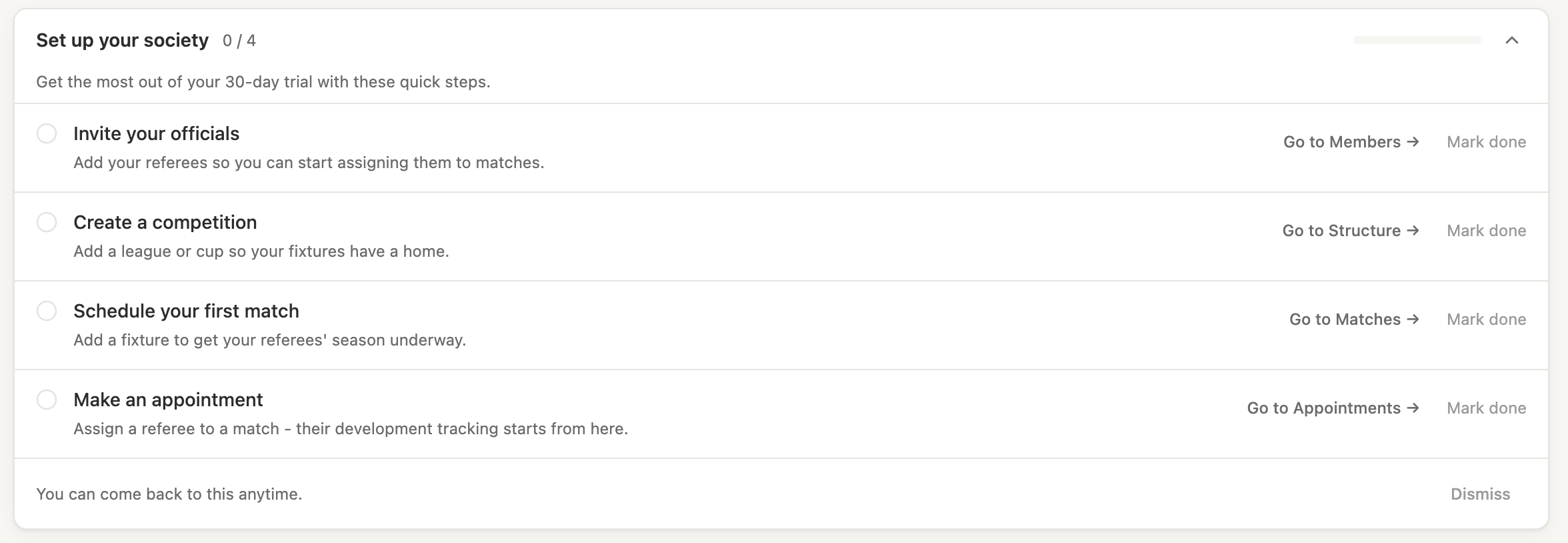
When your society is first created in RefMatch, you will be taken through the org setup wizard. This covers:
- Your society name and contact details
- Your national body and constituent body (used for competition structure)
- Initial settings
If you skipped the wizard or need to revisit settings, go to Admin > Organisation settings.
Step 2 - Set up your rugby structure
Before creating fixtures, you need to configure the competition structure your society operates within.
Go to Admin > Structure and add:
- Your constituent body (e.g. Midlands Rugby)
- The divisions and competitions your officials referee in (e.g. National League 1, Midlands 1)
- The clubs and teams that participate
Tip: You can import clubs and teams in bulk using a CSV file via Admin > Structure.
Step 3 - Invite your members
Go to Admin > Members and add your officials and appointments team:
- Click Add member
- Enter their name and email address
- Assign their role (e.g.
REFEREE,APPOINTMENTS_MANAGER,MOD) - They will receive an invitation email with a link to set up their account
Note: A person can hold more than one role. For example, a senior referee who also writes development reports should have both
REFEREEandMODroles.
Step 4 - Configure the season
Set the active season under Admin > Seasons. The season defines the date range for fixtures and availability windows. All matches created will be attributed to the active season.
Step 5 - Create your first fixture
Once structure and members are in place, your appointments team can start creating fixtures. If you are also the person managing fixtures, see Creating a match fixture.
What happens next?
Once your society is set up, your regular workflow will be:
- Appointments team creates fixtures for upcoming weekends
- Officials set their availability for those dates
- Appointments team assigns officials to fixtures
- Officials confirm their appointments
- After the match, reports and captain feedback are submitted